Text Effect: Fill Any Shape with Texts

It's been a week since we got any tutorial in here. So, I guess we're due for another new one. Now, this is a simple tutorial on how to fill a shape, any shape with words. We can try the lyrics to your favorite song if you can't write a good poem even if your life depends on it. What we're gonna do today is use custom shape in Photoshop as path and fill it with text. You can work with any shape you like, there's no restriction to your creativity. And if you're have no idea what we're trying to explain here, below are two examples of this text effect. Read more to find out how to do it.


1. Open the image or background you want to work with in Photoshop.

2. From the Toolbox, select the Rectangle Tool {U}. And at the top menu, select Custom Shape Tool.


3. Select the Shape you want to use. I'm gonna choose the umbrella shape.


Then, make sure you select Path on the top menu.


4. Next, draw the shape on your background image. Don't worry about it's location relative to your image. We're gonna find out how to move, re-size and rotate the shape later.


5. Now it's time to insert the text into the shape you just drawn. Select the Type Tool {T}. Choose your font, select Center Text, set the color. You can also bring out more options for your text by clicking the small icon on the right.


6. Click anywhere inside the shape and start typing your words until it fill up all the area inside the shape.


7. You can move the shape together with all the text using the Move Tool {V}. I select the Move Tool and move the umbrella to the top and a little bit to the left.


8. You can adjust the size of the shape or rotate it by selecting Type Tool {T} once again. Click on your words you typed in step 6. You'll see a dotted square surrounding your shape. Adjust the size by dragging any of the small squares around it. Rotate your image by hovering your cursor somewhere at the bottom right of the dotted square until you see a rotate icon. Then, left-click and use your mouse to rotate the shape.


9. After adjusting the text color again to suit my image and adding outer-glow layer style to my text, below is the final result.


Now you can try this effect with other shapes as well. Maybe like butterfly, heart or hot-air balloon..any shape you like. If you like this tutorial, then I'm sure you'll find other useful tutorials @ Best Photoshop Tutorials

READ MORE...

Download Retro Gradient Coloring PSDs

Let me explain a little bit about my retro gradient coloring. It is actually a collection of photo colorings that I thought can safely be considered as somewhat retro or classic. All the color effects are achieved using gradient map in Photoshop. I've created some psd files for you to download. I know most of you already familiar with using PSD file, but for some who's still trying to figure it out, here's how you do it. Download the psd file. Open it in Photoshop. Open the image you want to apply the color effect in Photoshop. Drag the gradient map layer onto your image. Also, I have some other posts about gradient map. It'll be a wise idea for you to check them out if you're interested to learn more about gradient in Photoshop. Discovering Gradient Map, Download Free Photoshop Gradient and Another Set of Gradient Image Coloring PSD

FYI, my retro gradient coloring is inspired by below vintage color palette. If you can see the similarity, that's good! If you don't, just go with it, will you? You can download the retro color swatch by clicking on below image.

Download Vintage Color Swatch

Click on the preview image to download the color effect individually or if you like them all, you can download a zip file contains all 9 PSDs HERE

Silver Moon Haze Maze Golden Summer


Code Red Apricot Spring Awakening

Grenade Winter Light Papercut


READ MORE...

All About Lomo Effect in Photoshop

Somewhere out there, I believe there exist some of us with a slight obsession over lomo effect. Lomography is associated with vibrant colored images, sometimes blurry and highly saturated. With the vignettes framing the shot, it just makes the photo more unique and special in its own way. I could have written another tutorial in this Photoshop Blog about creating lomography effect in Photoshop, instead I'm gonna refrain myself from doing so because there's so many great tutorials, PS actions and resources out there. So today, we're just gonna steer you to the right direction and hopefully you'll find what you're looking for.

Lomo photography using Photoshop
View tutorial @ digital-photography-school.com
This tutorial will guide you on getting your digital images to look like Lomo photography using Photoshop. This is one of the best lomography tutorials available on the web. Why don't you give it a shot.

Lomo Effect in Photoshop
View tutorial @ photoshoptutorials.ws
Again, another tutorial to simulate the effects of a lomo camera. Start with creating a strong, noticeable vignette and carry on to get the high contract color on the photo.


Lomo Photo Effect
View tutorial @ photoshopsupport.com
Another easy to follow tutorial on getting the lomo effect on your picture with a little bit of story explaining the real meaning of lomo (if anyone ever ask you).

Lomography Coloring
View tutorial @ photopoly.net
A tutorial detailing on how to convert a regular image into a photo with lomo like colors. And it will continue to show you can later make this photo look like as if it was taken with a fisheye lens.

Lomo FX photograph
View tutorial @ photoshopphotography.com
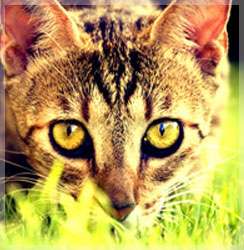
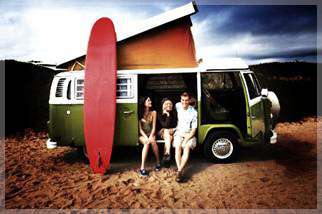
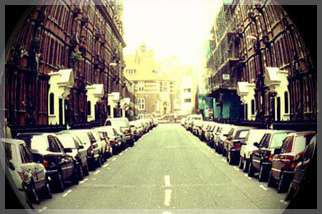
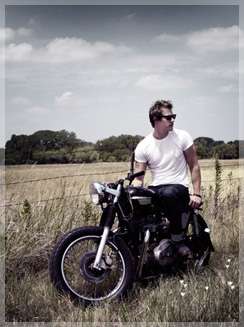
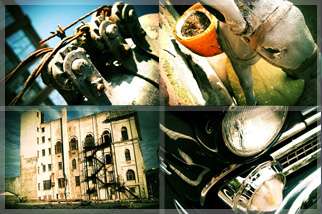
Before and After image of a lomo effect photograph. If you like the result, go on and check out this tutorial. Learn how to get that vintage yellowish/greenish color on your photo and figure out how to add that vignette effect (the blacken edge on the photo).

Lomo FX with PS Elements
View tutorial @ tipsquirrel.com
For those without Photoshop, we wouldn't want you to miss the excitement. You can also achieve the lomo effect using PS Elemens. Last time we checked, PS ELements is still free and this tutorial will guide you through the process of creating lomography out of your ordinary photo.

Dark processed lomo effect
View tutorial @ spoongraphics.co.uk
A slightly different approach in translating lomography into a photo. Not as bright as the other lomography photo we have seen before. Hence it's call a dark processed lomo effect. If you lke this kind of effect om your photo, this is a great tutorial on how to achieve it.

Lomography Effect Tutorial
Download PS Action @ alltransmissionsend.com
Simulate the lomography effect with this Photoshop action. This Photoshop action is created based on a combination of several tutorials available all around the web. This action uses adjustment layers. So, you can easily adjust the settings after running the action to get what's the best for your photo.

Lomo Effect PS Actions
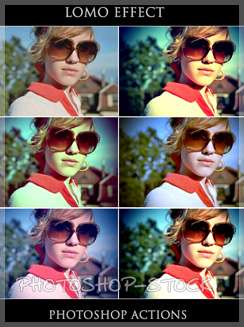
Download Actions @ photoshop-stock.deviantart.com
Here's another good Photoshop action set for you to achieve the lomo effect on your photo. Perhaps this can save you some time if you're already know how to use action in Photoshop.

beautiful lomo photographs
View photos and resources @ desizntech
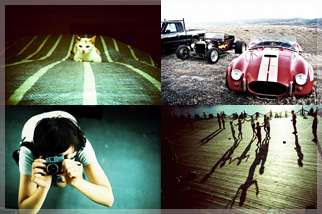
A little showcase of 30 beautiful lomo photographs. Include also some excellent links for lomo resources and tutorials.

READ MORE...

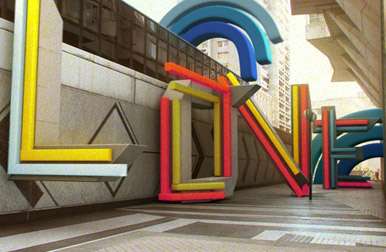
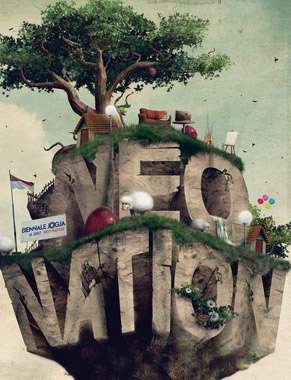
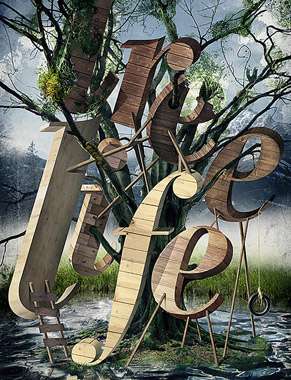
Inspirational 3D Typography Gallery

We always love the art of 3D typography. How simple words can evoke our sense of sight and how that extra dimension make us look deeper into it (and maybe think a little deeper too). Let's clear our mind today and look at something beautiful and creatively constructed. Check out and appreciate the amazing architecture of 3D typography and we hope some of them will inspire you to build one too.


MUSIC


by jeff osborne


By Mika Melvas


By nagfactor


Save by dkomov


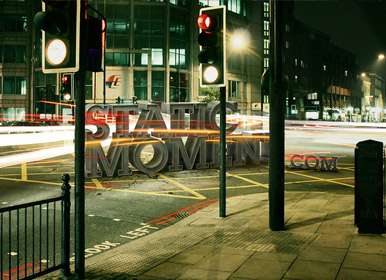
Static Moment


by jeff osborne


Old-typographic-works


Just-For-Kicks


A New Leaf


Milk Sucks


MTV Bloom by vincent Viriot


Waste Not Want Not


Some-People-refuse-2-b-default


Wash Your Hands


by Craig Ward


Set the World on Fire


Neonation by deetz


Tree Life


READ MORE...